Hive gives you a single cockpit over a team of autonomous coding agents. Hand it a requirement — it decomposes the work into stories, assigns role-based agents, runs them in isolated worktrees, reviews, and opens the PR. From requirement to production. Automatically.
Each role maps to a model and a complexity band. The Manager drains the inbox and supervises; the Tech Lead decomposes; seniors, intermediates, and juniors take stories sized to their pay grade; QA gates every PR.
Drains the inbox, spawns and reaps workers, re-pends stalled stories, and escalates blockers on a tick loop.
SupervisorDecomposes each requirement into sized stories with dependencies, then hands them to the right agents.
DecompositionOwns complex stories (6+ pts), reviews pull requests, and mentors the junior agents on the team.
6+ pts · reviewTakes medium-sized stories (4–5 pts) end to end in its own worktree — edit, commit, push.
4–5 ptsKnocks out the simple stories (1–3 pts) — the routine changes that keep the backlog moving.
1–3 ptsRuns lint, types, tests, and the build on every change — and approves the PR only when it all passes.
GatekeeperWhere a normal IDE shows you your files and your changes, Hive shows you everything the hive is doing — every running agent, every in-flight diff, every PR it has opened.
Open any file an agent is editing and watch the changes land character by character — read-only while the agent owns the worktree.
Every agent works on its own branch in its own git worktree. No collisions, no half-finished states leaking into your tree.
When review and QA pass, Hive opens a real pull request — titled, described, and ready for the human to merge.
Jump to any file, project, or agent from one ⌘K palette. The whole cockpit is a keystroke away.
Requirements, stories, agent status, escalations, and findings live in a file-backed state store the whole team reads and writes.
Switch between projects from the title bar. See which hives are running, which are idle, and how many agents are live.
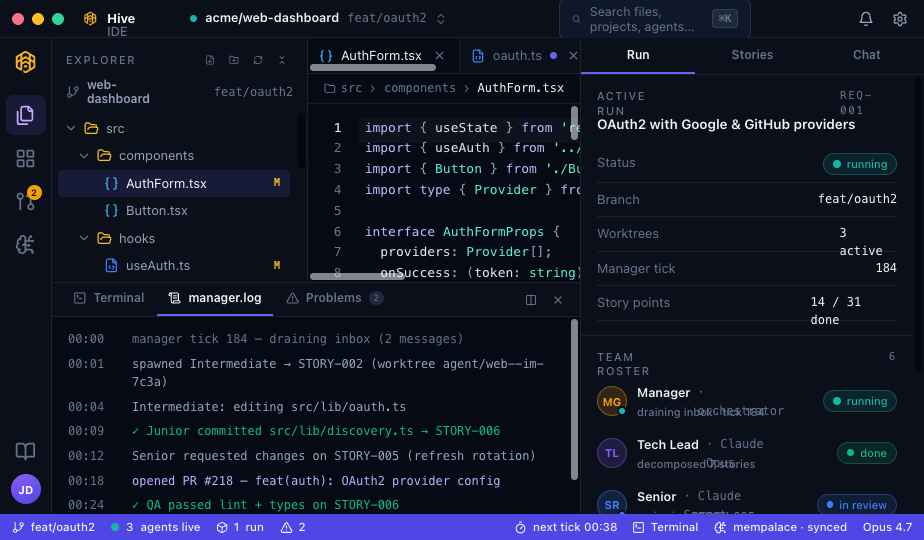
Explorer, editor, and the streaming manager.log on the left; the active run, story-point burndown, and full team roster on the right.
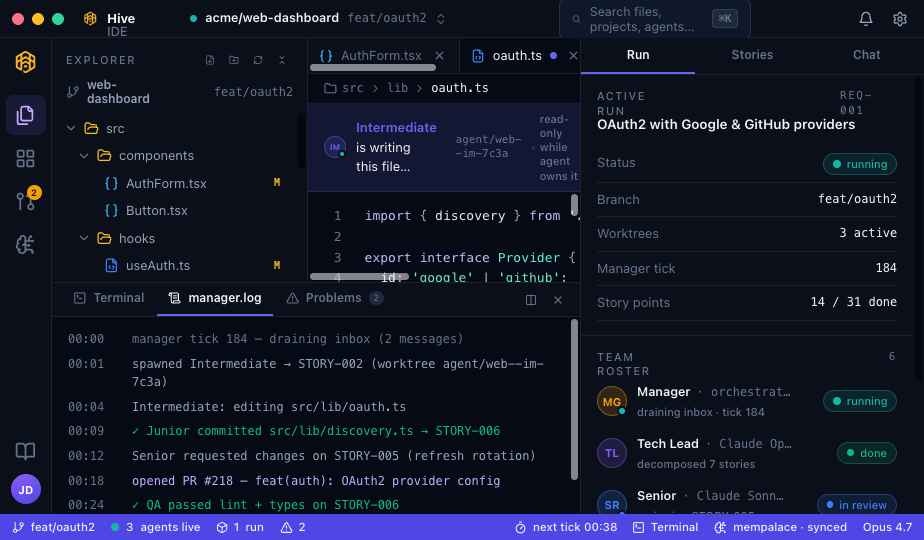
“Intermediate is writing this file…” — the worktree is read-only while the agent owns it.
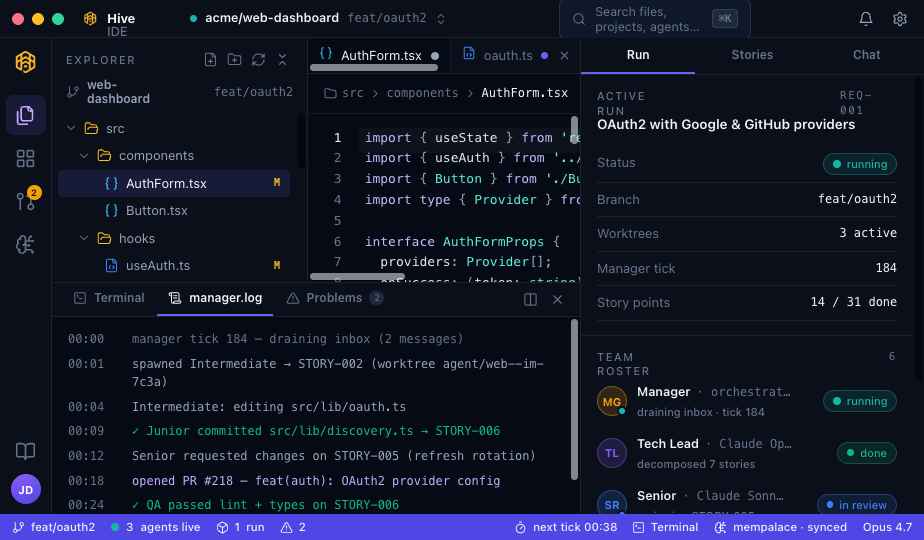
The status bar keeps the heartbeat of the hive in view at all times.
Hive turns a high-level requirement into a real git PR by spawning workers in isolated worktrees, supervising them on a tick loop, and recording every decision in team memory.
Describe what you want in plain English. It lands in the inbox as REQ-001 and waits for the next tick.
The requirement becomes point-scored stories with dependencies, ordered so nothing blocks on unfinished work.
Each story goes to the right role. The Manager spawns a worker in a fresh worktree on its own branch.
Workers edit, commit, and push. You watch the diffs stream live and the log scroll in real-time.
Seniors review; QA runs lint, types, tests, and the build. Blocked stories are re-pended or escalated to you.
When it all passes, a real pull request lands — titled and described. ✓ That’s it. Hive handles the rest.
Grab a signed desktop build, or clone the repo and run it from source. It’s an Electron app — React renderer, Claude Code workers under the hood.
Releases are automated from conventional commits on main — every tagged release ships macOS, Windows, and Linux installers. See the build-from-source guide for the full toolchain.
# clone & install
$ git clone https://github.com/nikrich/hive-ide
$ cd hive-ide && npm install

# launch the IDE (Electron + Vite)
$ npm run dev

# package a signed Mac app
$ npm run build:mac
  → release/0.1.0/Hive IDE.dmg
 From requirement to production
Download Hive IDE, point it at a repo, and hand it the first requirement.